
In summary
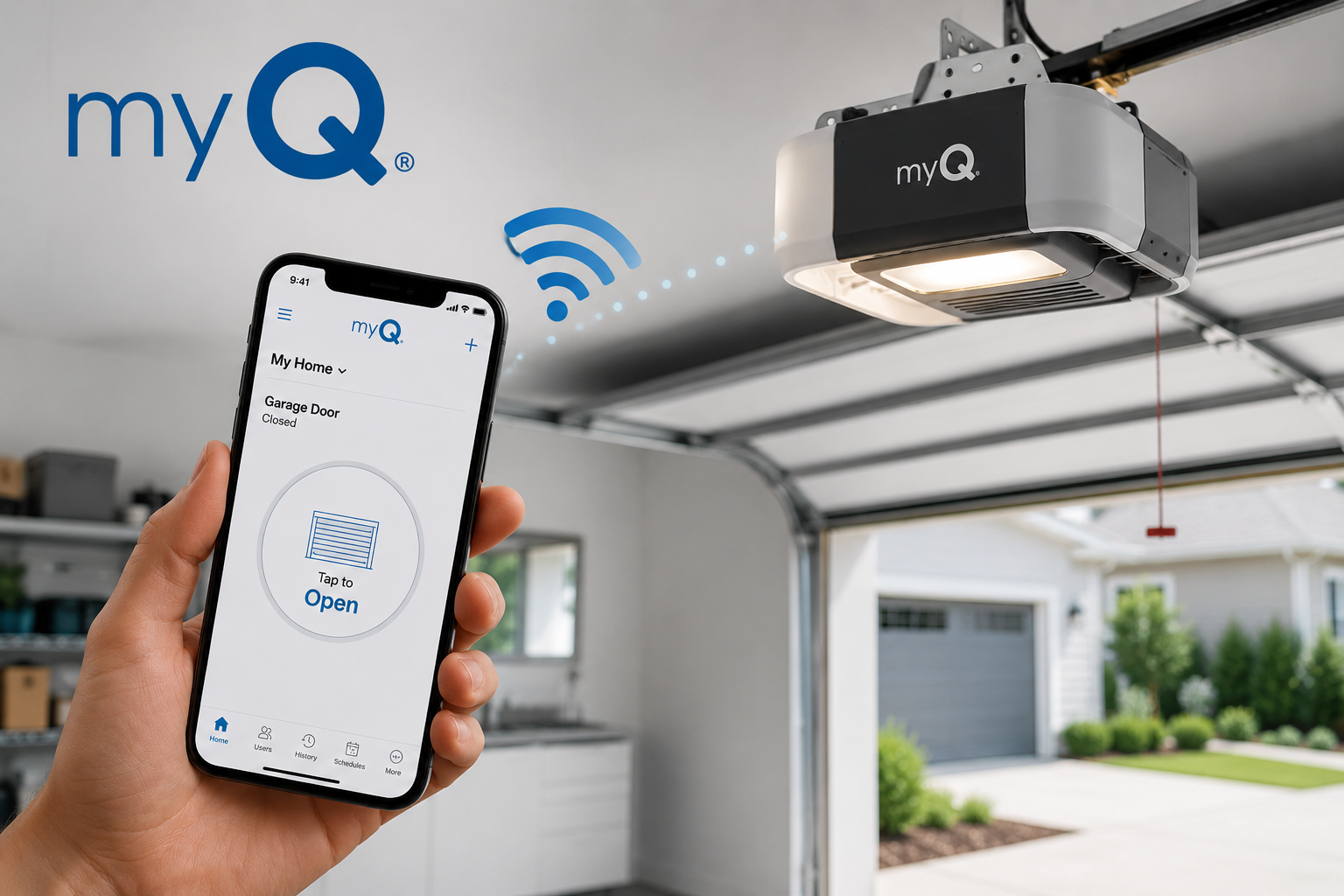
-MyQ allows garage doors to be operated intelligently.
-This application allows homeowners to monitor and control their garage door from their mobile devices.
-MyQ compatible garage doors have now been equipped with wireless technology and provide a safe way to use the garage doors.
-Clients are notified in real-time, can schedule, and can track what has taken place with the MyQ compatible garage doors.
Garage door is among the entrances that are mostly used in many houses. In the age of smart home technology, people expect their garage door to operate just as easily and comfortably as their lights, thermostat or security systems. So this is where the MyQ garage door opener comes in.
Instead of opening and closing your garage door by using a handheld remote, the MyQ technology allows you to control, get notifications and to monitor your garage door while being almost anywhere with your phone.
Whether you have a garage door opener from Chamberlain MyQ or LiftMaster MyQ, or you are planning to buy this smart gadget, knowing how it works might help you decide whether it would suit your needs.
This article explains all the features and advantages of MyQ technology as well as compatibility, installation, and safety issues. However, it’s best to call a professional garage door opener to find the best fit for your style and to ensure your home’s safety.
What Is a MyQ Garage Door Opener?
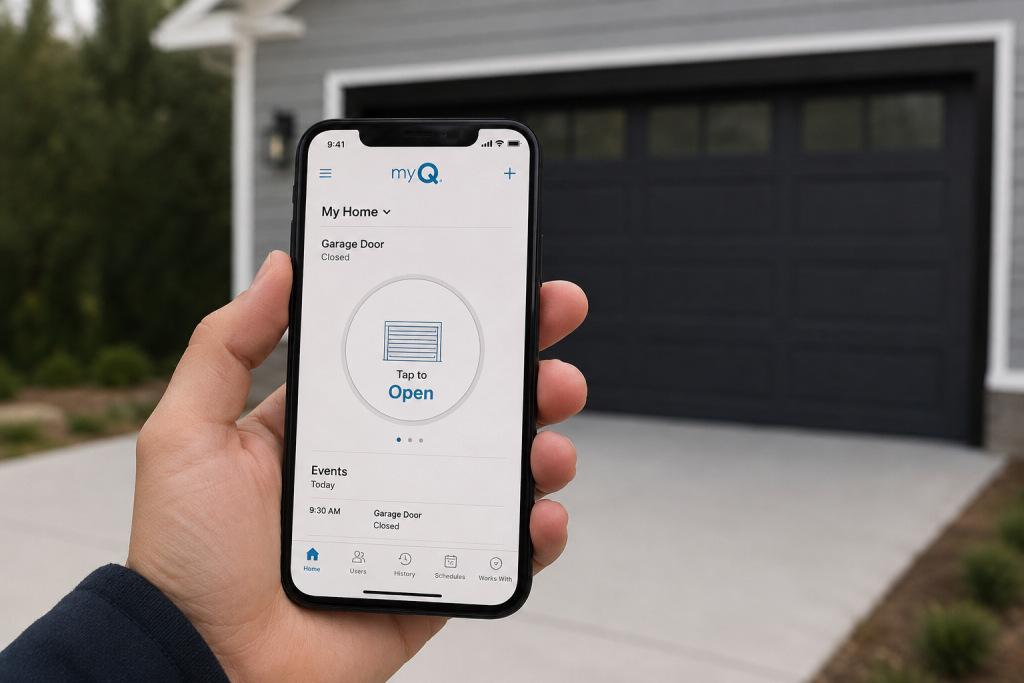
A MyQ garage door opener is a device that allows smart connectivity through the MyQ app with the use of your home’s Wi-Fi network.
Rather than relying on standard remotes or wall buttons, this technology gives you the ability to:
-Manage your garage door from anywhere
-Verify whether the door is open or closed
-Get real-time alerts on its activity
-Access its activity log
-Set a closing schedule
-Share controls with your family members
How Does the MyQ Garage Door Opener Work?
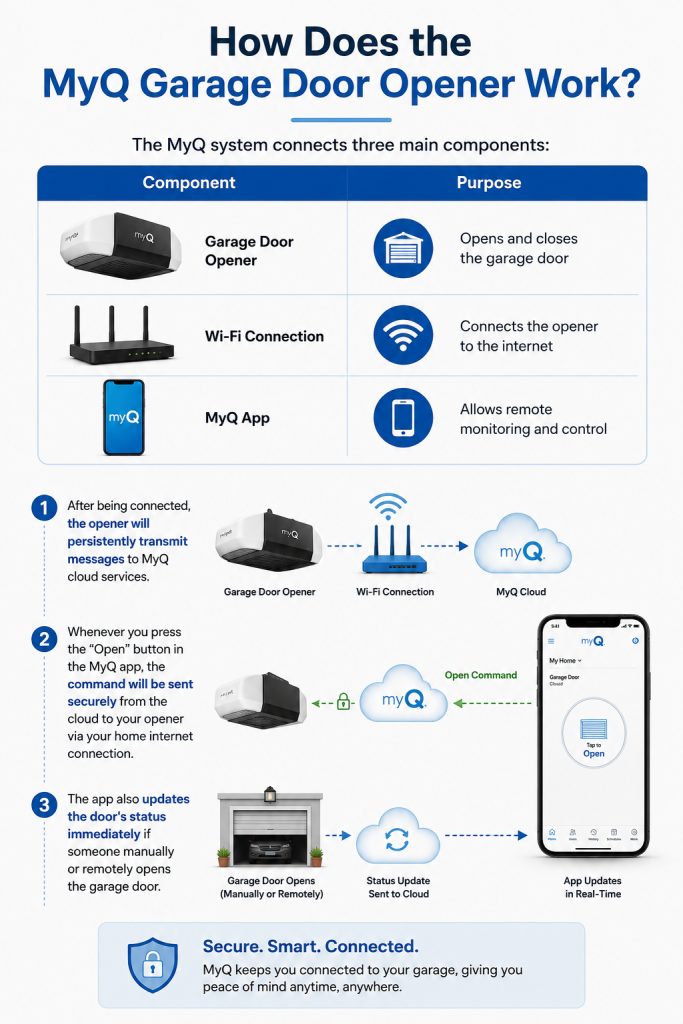
The MyQ system connects three main components:
| Component | Purpose |
| Garage Door Opener | Opens and closes the garage door |
| Wi-Fi Connection | Connects the opener to the internet |
| MyQ App | Allows remote monitoring and control |
After being connected, the opener will persistently transmit messages to MyQ cloud services.
Whenever you press the “Open” button in the MyQ garage door opener application, the command will be sent securely from the cloud to your opener via your home internet connection.
The app also updates the door’s status immediately if someone manually or remotely opens the garage door.
What Makes MyQ So Popular Among Homeowners?
Homeowners like MyQ mainly because of its convenience.
Instead of worrying about whether they closed their garage doors, homeowners can just check their smartphone.
Control Your Garage Door From Anywhere
Remote access is one of the most significant features of MyQ.
Whatever you are doing, whether you are working, on vacation, shopping, or waiting for a delivery, you can check the status of your garage door in no time. If the garage door happens to be open, you need to press the Close button.
Get Notifications in Real-Time
With real-time notifications, you’ll always have a bit more assurance that you’ll know what’s happening with your home, especially if you have teenagers or multiple drivers in your family
The MyQ garage door app sends you notifications whenever:
-Your door opens
-Your door closes
-Someone uses the garage door opener
-Your scheduled events happen
No More Uncertainty About Leaving the Garage Open
Have you ever gotten in your car and questioned whether you closed your garage door before leaving?
With MyQ, you don’t have to wonder. Just launch the app and check the status of the door in seconds.
Distributing access without the need for sharing a remote control
There is no need for homeowners to lend out remote controls in order to grant access digitally to their relatives, trusted neighborhood people, housekeepers, and maintenance personnel.
Activity History
The application monitors the activity in the garage and allows homeowners to track:
-Opening times
-Closing times
-Recent activities
-Daily usage
Chamberlain MyQ Garage Door Opener vs LiftMaster MyQ Garage Door Opener
Both Chamberlain and LiftMaster use MyQ technology, but they serve slightly different markets.
| Feature | Chamberlain | LiftMaster |
| Typical Users | Residential homeowners | Residential & professional installation |
| Smart Technology | MyQ Built-In | MyQ Built-In |
| Wi-Fi Connectivity | Yes | Yes |
| Smartphone Control | Yes | Yes |
| Professional Dealer Models | Limited | Extensive |
The Chamberlain garage door opener MyQ lineup is widely available through home improvement retailers.
A LiftMaster MyQ garage door opener is commonly installed by professional garage door companies and often includes additional premium features depending on the model.
The process for installing a MyQ Garage Door Opener
Generally speaking, installing a MyQ garage door opener is easy and fast because you only need to download and operate a few simple steps.
1. Download the app
Go to the web and search for ‘MyQ App’ to download the online application on your phone.
2. Create an account
You have to sign up for a MyQ account to create a profile.
3. Connect the opener
Use the instructions provided in the app to connect the opener with your home’s Wi-Fi connection.
4. Name your garage
It is better to create a specific name for your garage for easier remote controlling.
5. Perform a test run
You have to make sure that the app shows the right state of the door, all notifications are sent and received, and every command is executed.
MyQ Garage Door Opener Resetting Process
There may be instances in which the user has to reconnect the device upon making a change in the Wifi network or replacing any of the network devices.
Typically, device reset process is necessary in case:
-the Wifi login information changes
-the device disconnects
-the app setup needs to be repeated
-the house has a new owner
The user should always focus on following the instructions by a manufacturer on how to reset their device, because the processes differ across brands and models.
If problems with connection are still present, it would be better to connect with the company or contact a professional technician.
Common MyQ Problems and Solutions
| Problem | Possible Cause | Suggested Solution |
| App won’t connect | Weak Wi-Fi | Improve signal near opener |
| Door status incorrect | Sensor communication issue | Refresh app and inspect sensors |
| Notifications missing | Phone settings | Enable notification permissions |
| Setup fails | Wrong Wi-Fi band | Confirm compatible network requirements |
| Opener offline | Router restart needed | Reconnect through the app |
Is MyQ Secure?
Yes, MyQ implements different security protocols aimed at guaranteeing customers staying safe.
Here are some of them:
-Using encryption to communicate.
-Secure log-in process.
-Remote connection though a secured cloud service.
-Set an access for other users.
For the most secure experience:
-Create a strong password.
-Make use of two-factor verification.
-Keep the application updated.
-Withdraw any unnecessary access rights from other users.
-Make sure that your Wi-Fi network is secure.
Comparison: Traditional Garage Door Opener vs MyQ Garage Door Opener
| Feature | Traditional Opener | MyQ Garage Door Opener |
| Smartphone Control | No | Yes |
| Remote Monitoring | No | Yes |
| Activity History | No | Yes |
| Notifications | No | Yes |
| Scheduling | No | Yes |
| Remote Access | Limited | Anywhere with internet |
| Multiple Garage Management | Limited | Yes |
Final thoughts
One of the benefits of all the MyQ products is that they can make your conventional garage door smarter, safer, and more convenient to use. No matter if you are choosing a Chamberlain MyQ or LiftMaster opener or simply want to make sure that your current opener will work with the MyQ technology, using MyQ technology will make it easy to open or close your garage door from anywhere at any time.
If you are one of those homeowners who want to make life easier by being aware of what is happening in the garage and bringing smart features to the garage door without bothering with major renovations, MyQ technology is a good match for you. Make sure, however, that your current opener is compatible with the MyQ opener, that your Wi-Fi is working properly, and that you follow the installation instructions provided by the manufacturer.
Frequently Asked Questions
Is Wi-Fi necessary for MyQ?
Yes. While the essential functions of garage doors can still be performed using remotes and wall switches, important functions performed via smartphone, alerts, history of the garage door activity, and remote monitoring can only be performed when having stable Wi-Fi connection.
Can I use MyQ with an older garage door opener?
Maybe. Many older garage door openers work with MyQ Smart Garage Hub to become compatible, but compatibility depends on model, manufacturer and production year of the garage door opener.
Is the MyQ garage door opener app free?
Users are able to download the MyQ app for free and use its important features like remote management, monitoring, and notifications. However, some additional options or features may charge extra subscription fees.
Can multiple family members use the same MyQ?
Yes. Homeowners can share their MyQ account with family members, which can help them operate garage doors through their own devices.
Does MyQ eliminate the need for my garage door remote?
No. Conventional garage door remotes and wall switches still work as they should. All MyQ does is add smartphone connectivity and remote access functionality.